Clean Source Materials
Obtain noise-free video clips instantly, providing a zero-interference canvas for your own voiceovers, BGM, or AI-generated speech.
Eliminate background noise and original audio from multiple videos in one click. Prepare pure silent clips for your creative projects with maximum efficiency.
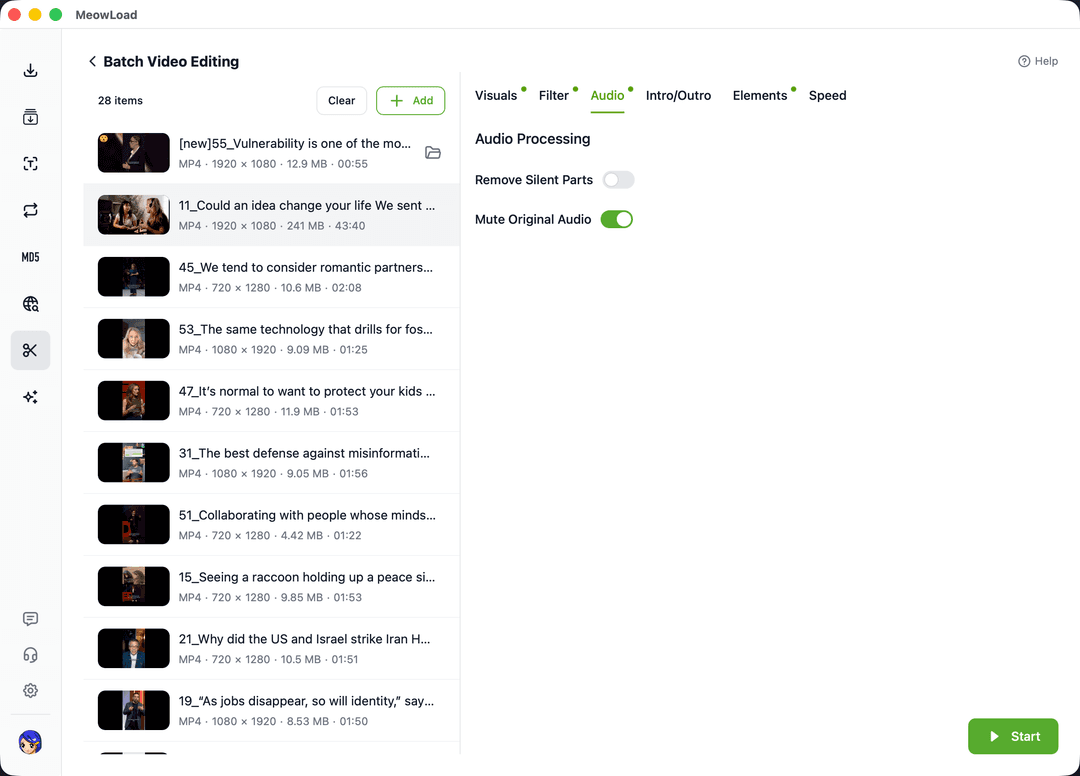
Standardize your video assets by stripping original sound tracks with automated processing.
Obtain noise-free video clips instantly, providing a zero-interference canvas for your own voiceovers, BGM, or AI-generated speech.
Leverage powerful desktop processing to render dozens of clips silent simultaneously, moving tedious manual work to the background.
Apply uniform mute policies to MP4, MOV, and AVI files without worrying about format-specific limitations or extra steps.
Streamline your desktop workflow by automating the repetitive task of stripping audio tracks.
Select multiple video files you wish to silence and load them into the batch processing queue.
Select the 'Bulk Mute' option in the configuration panel to apply the cleaning logic to all tasks.
Click start to let the engine automatically strip all audio tracks and export silent videos quickly.
Combine multiple automated tools to create a professional and highly efficient video production line.
Protect your newly silenced clips with consistent brand logos or overlays.
Standardize aspect ratios across all muted videos for cross-platform compatibility.
Cut out dead air frames from your silent clips to create tighter content.
Apply professional color grading while clearing original audio tracks.
Start your batch muting journey today and turn hours of manual sound stripping into seconds of automated success.