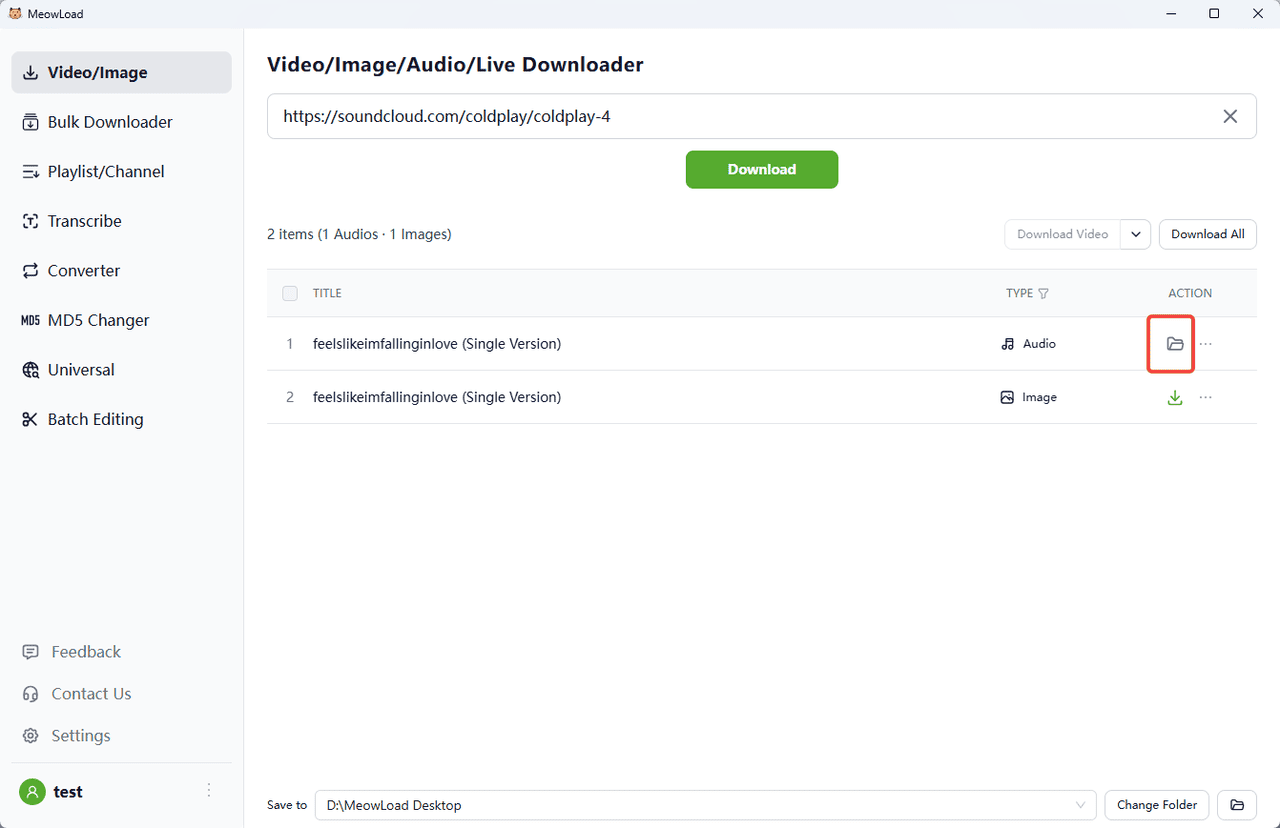
SoundCloud is an amazing site for music lovers with many social features. Music can be played via iOS or Android apps. MeowLoad will help you to download it as MP3, M4A or OGG files on your desktop to listen to it without internet connection anywhere you want.
Step 1: Install and Launch the App
Install and launch MeowLoad.
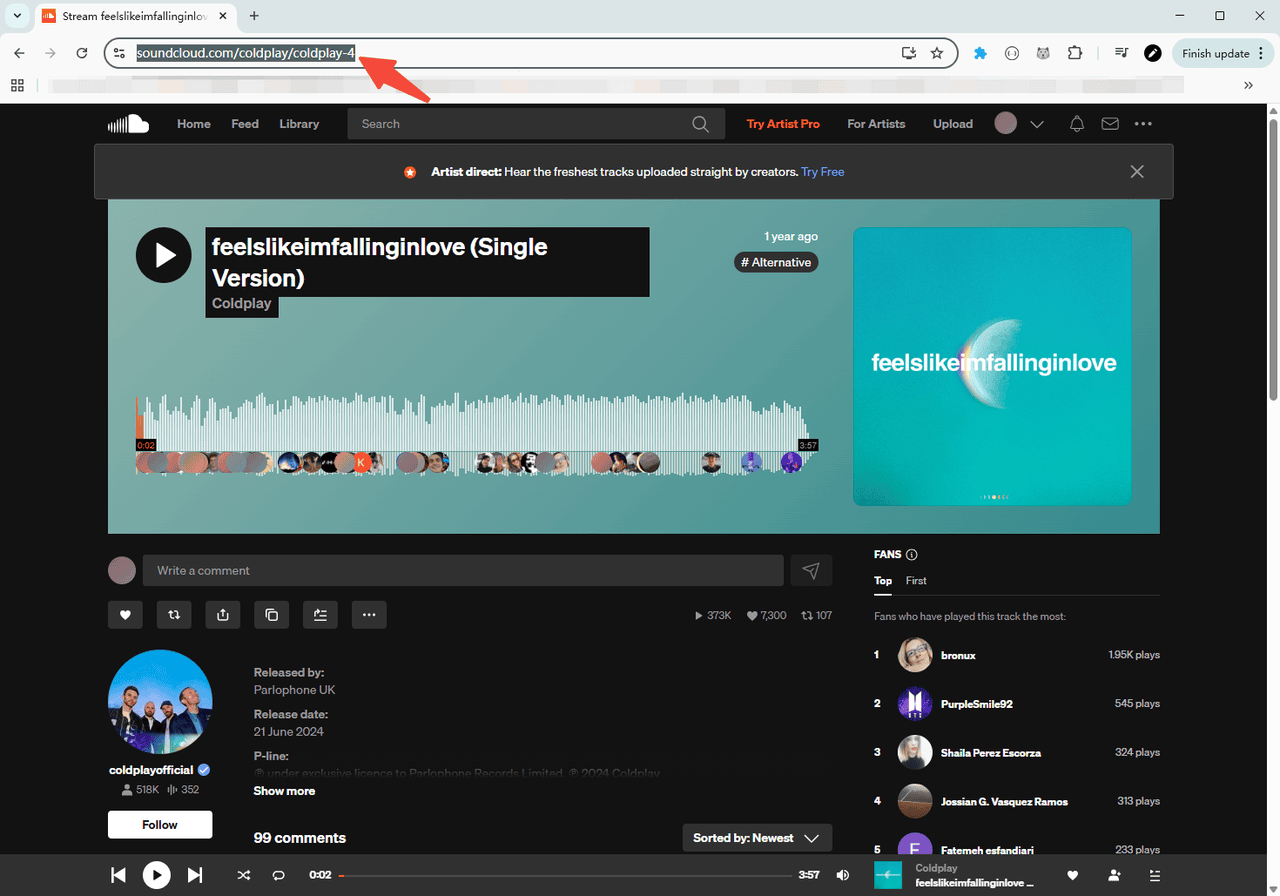
Step 2: Copy the Music Link
Step 3: Paste and Analyze
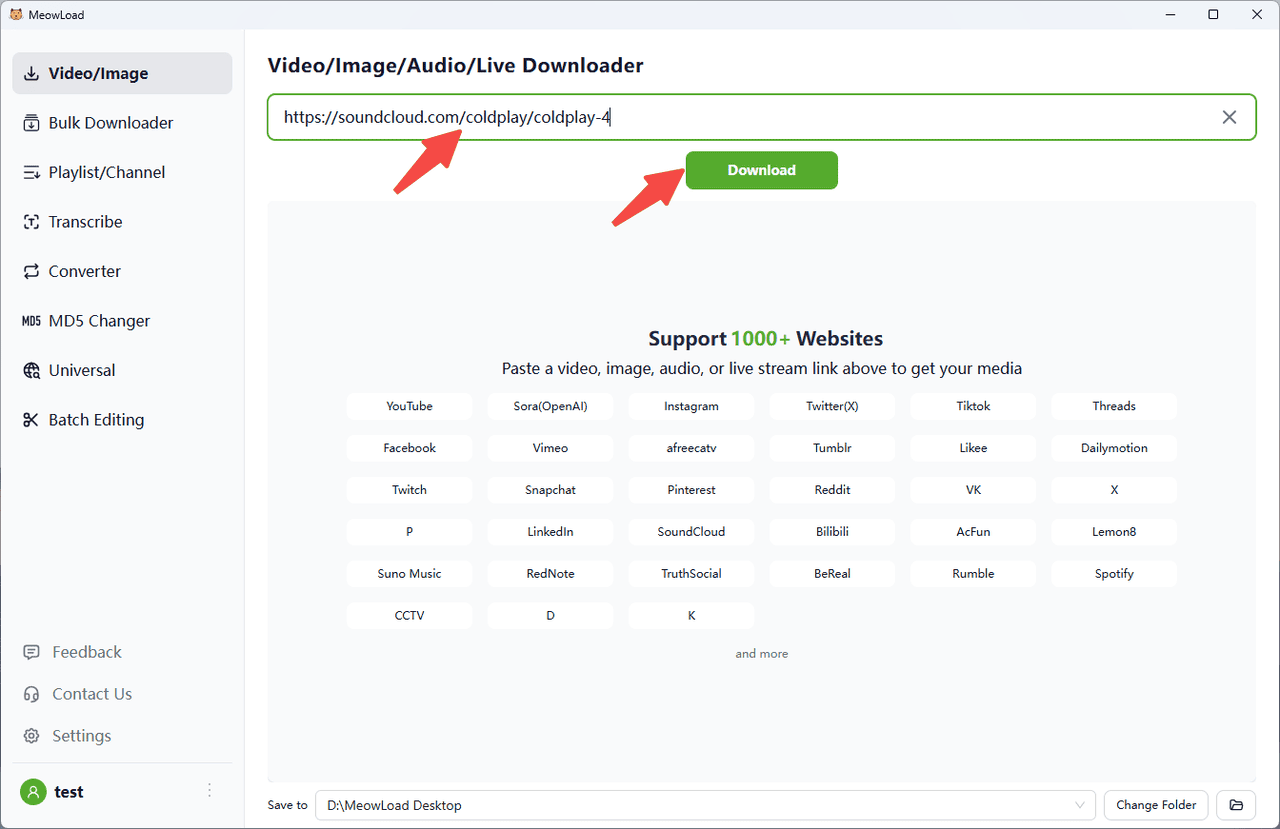
Paste the music link, click Download.
Step 4: Select Audio and Download
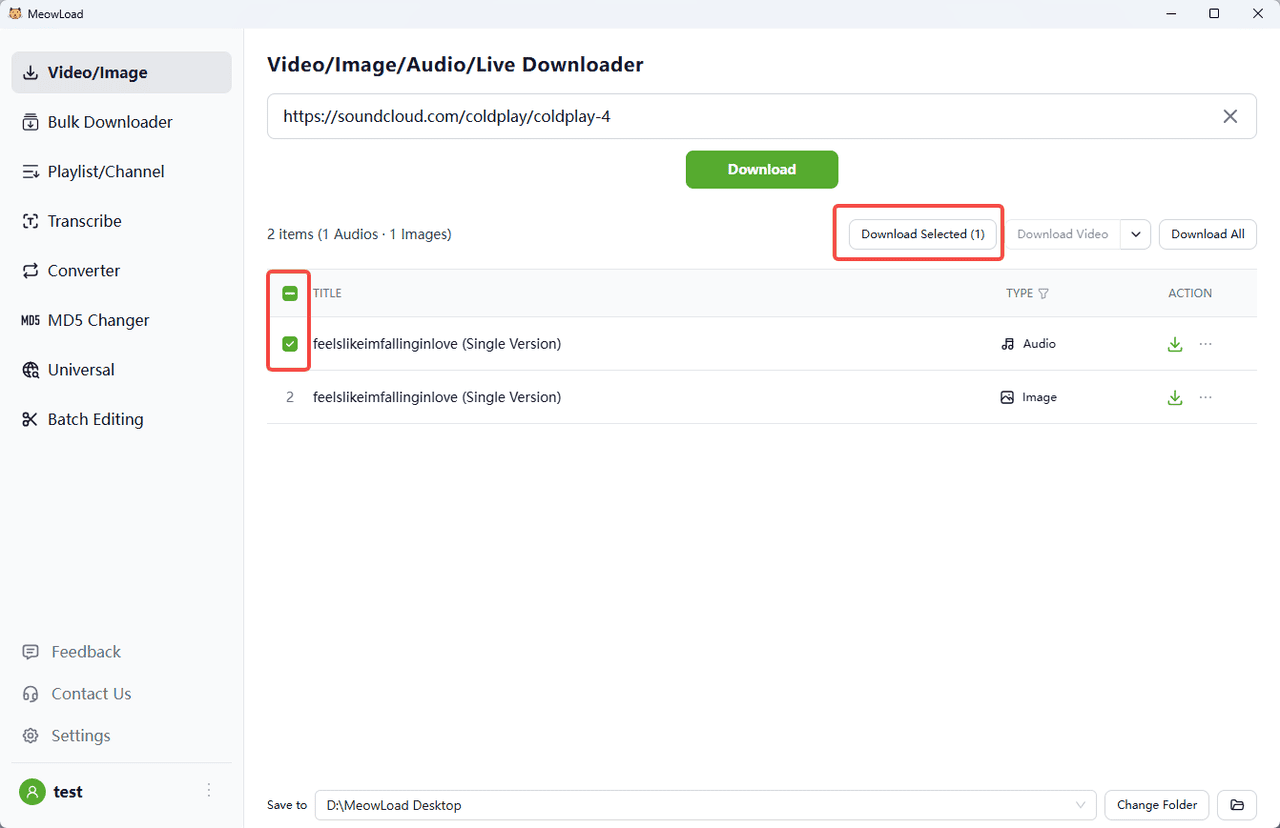
You can see the audio and images extracted from this link. Check the audio and click Download Selected.
Step 5: Done
Once the download is complete, click the folder icon to check out your audio files.