Uniform Duration Control
Quickly sync multiple source clips to a specific target duration by applying uniform speed multipliers, essential for beat-matched content.
Replace manual timeline stretching with automated speed control. Bulk adjust the playback tempo of your videos to create consistent time-lapse or slow-motion effects instantly.
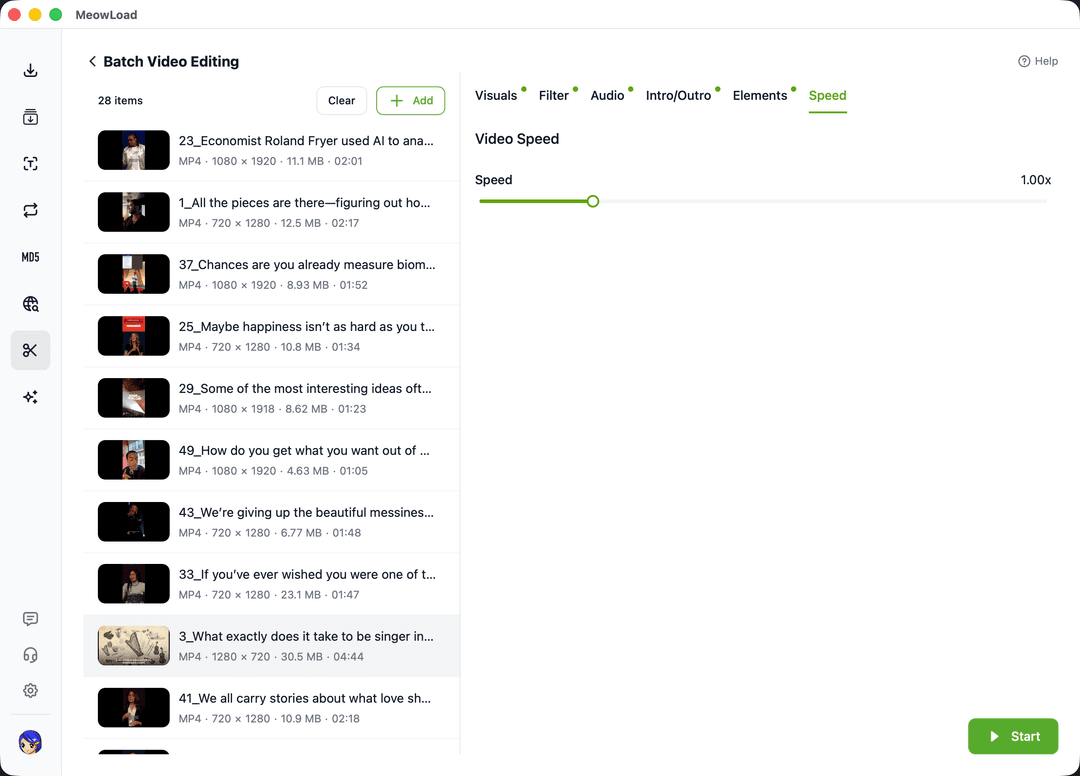
Standardize your video assets with professional-grade speed adjustment and automated tempo control.
Quickly sync multiple source clips to a specific target duration by applying uniform speed multipliers, essential for beat-matched content.
Leverage powerful desktop processing to alter playback speed while maintaining frame integrity, preventing stuttering in both fast and slow modes.
Turn long source footage into dynamic time-lapse clips in bulk by applying high speed-up ratios, significantly reducing post-production hours.
Streamline your desktop production by automating the mechanical task of adjusting playback speed.
Select multiple local video files you wish to speed up or slow down and add them to the task queue.
Enter your target speed value (e.g., 1.5x, 0.5x). The system will apply the setting to all items in the batch.
Click start to let the engine automatically re-render all videos at the set speed and export them quickly.
Combine multiple automated tools to create a professional and highly efficient video production line.
Eliminate dead air before adjusting speed to create the tightest possible video pace.
Standardize aspect ratios across all speed-adjusted clips for cross-platform compatibility.
Strip original audio tracks that may be distorted by speed changes for a clean slate.
Protect your newly paced content with consistent brand logos or text overlays.
Start your batch speed adjustment journey now and turn hours of manual timeline stretching into seconds of automated success.