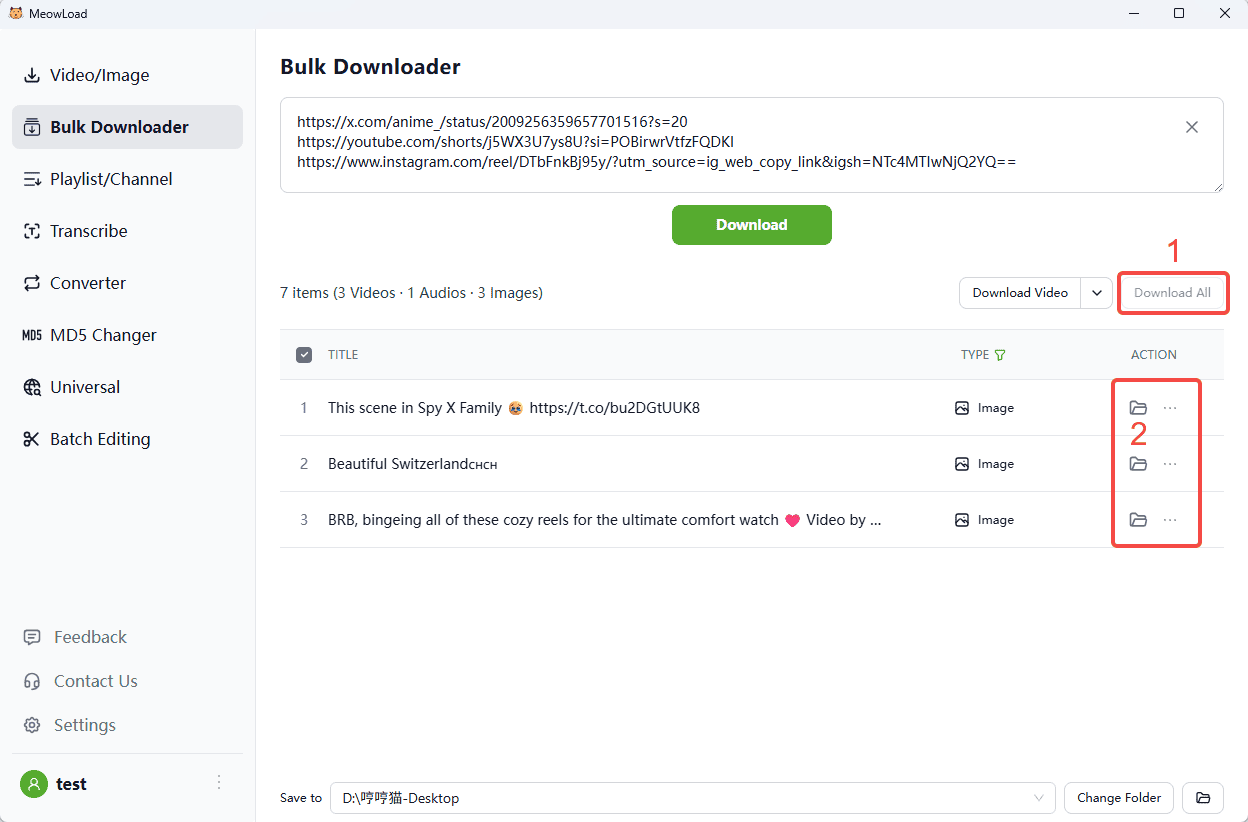
Need to download content from multiple platforms all at once? Copying and pasting links one by one is a headache. Our Bulk Downloader supports over 1,000 platforms, including X (Twitter), YouTube, and Instagram, helping you gather all your media materials in a fraction of the time.
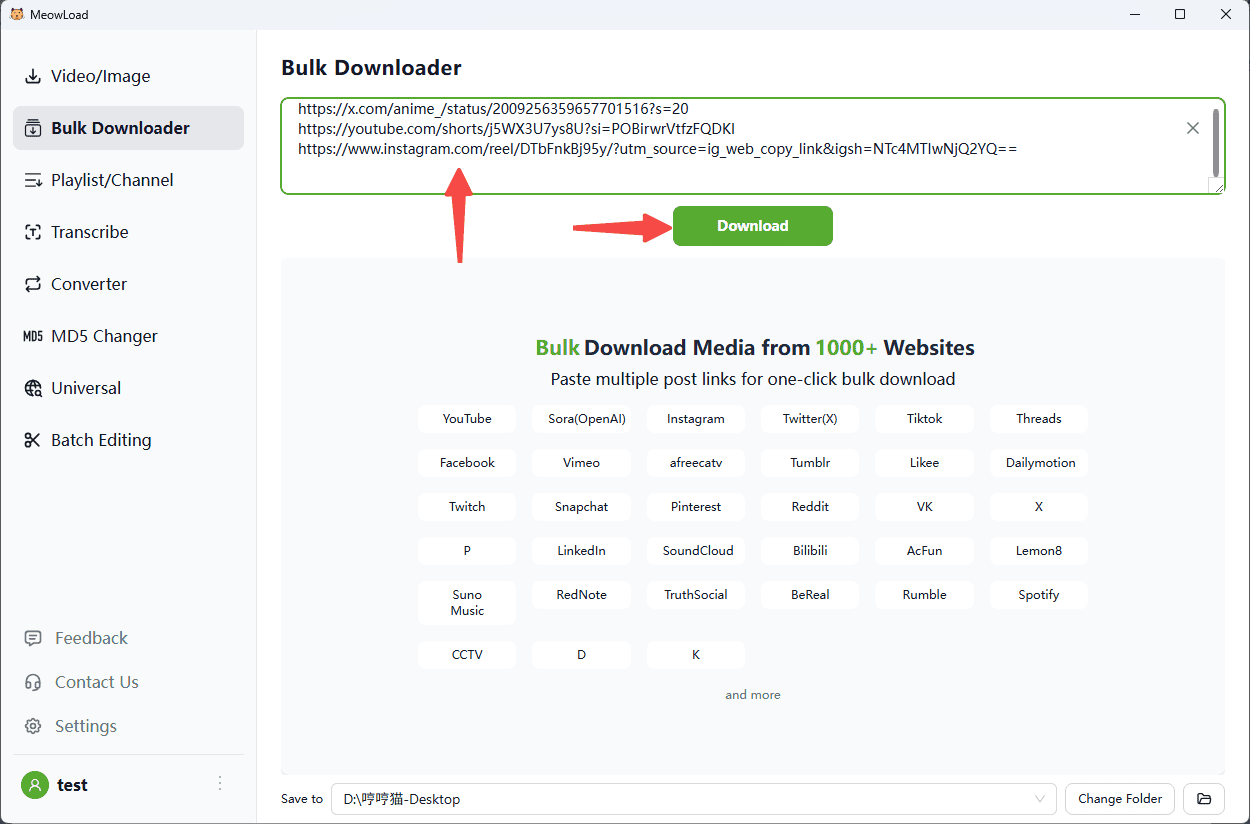
Step 1: Paste your links
Copy video or creator profile links from various websites and paste them here (one per line, up to 30 links at a time). Then, simply click 'Download' to begin.
Step 2: Filter by type
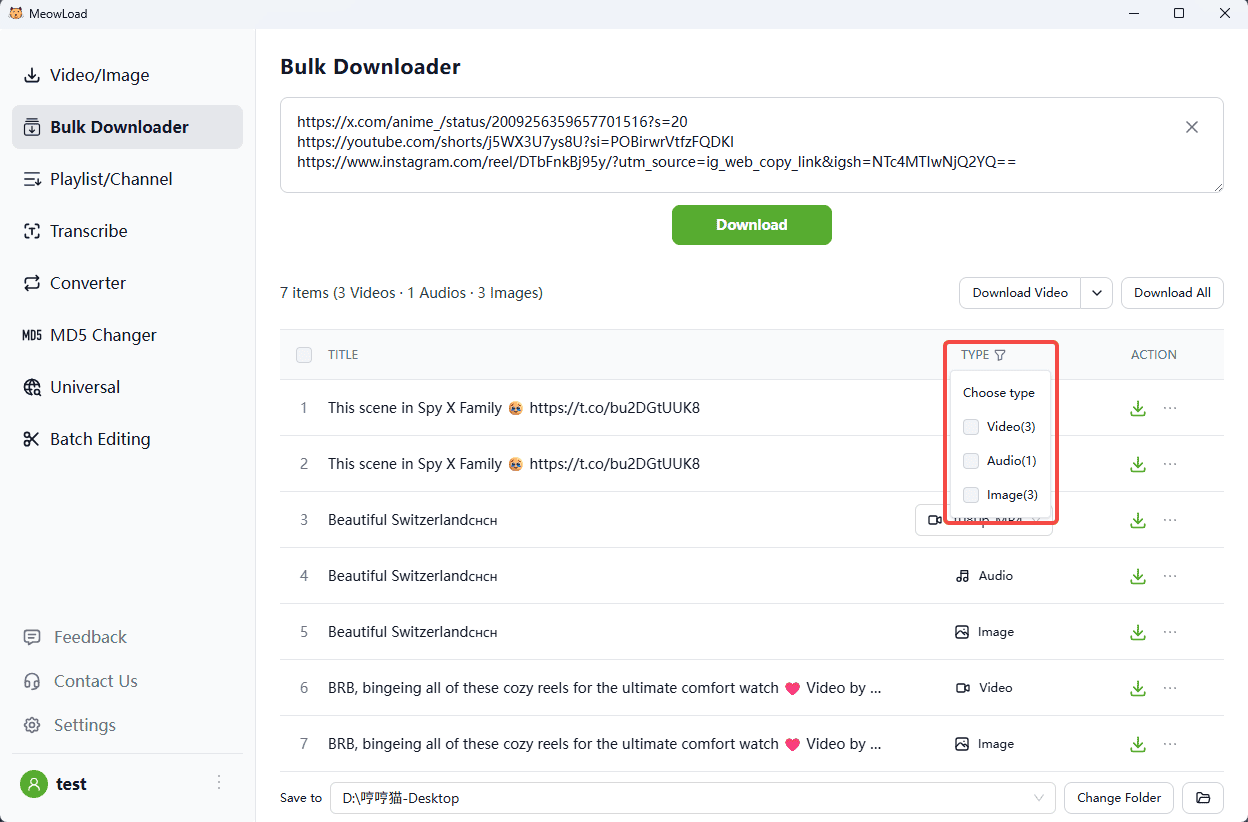
Looking for something specific? You can easily filter the results by media type. For instance, if you only need images, apply the 'Image' filter and hit download.
Step 3: Access your files
Once the download is finished, just click the folder icon to quickly view your saved content.