Many YouTube videos have subtitles in one or several languages. Subtitles make it easy to watch videos in foreign languages and understand the dialogue despite dialects, accents, and speech impediments. If you want to download subtitled videos from YouTube, MeowLoad is just what you need. Follow the simple steps below to start the download.
Step 1. Launch MeowLoad.
It's available for macOS and Windows.
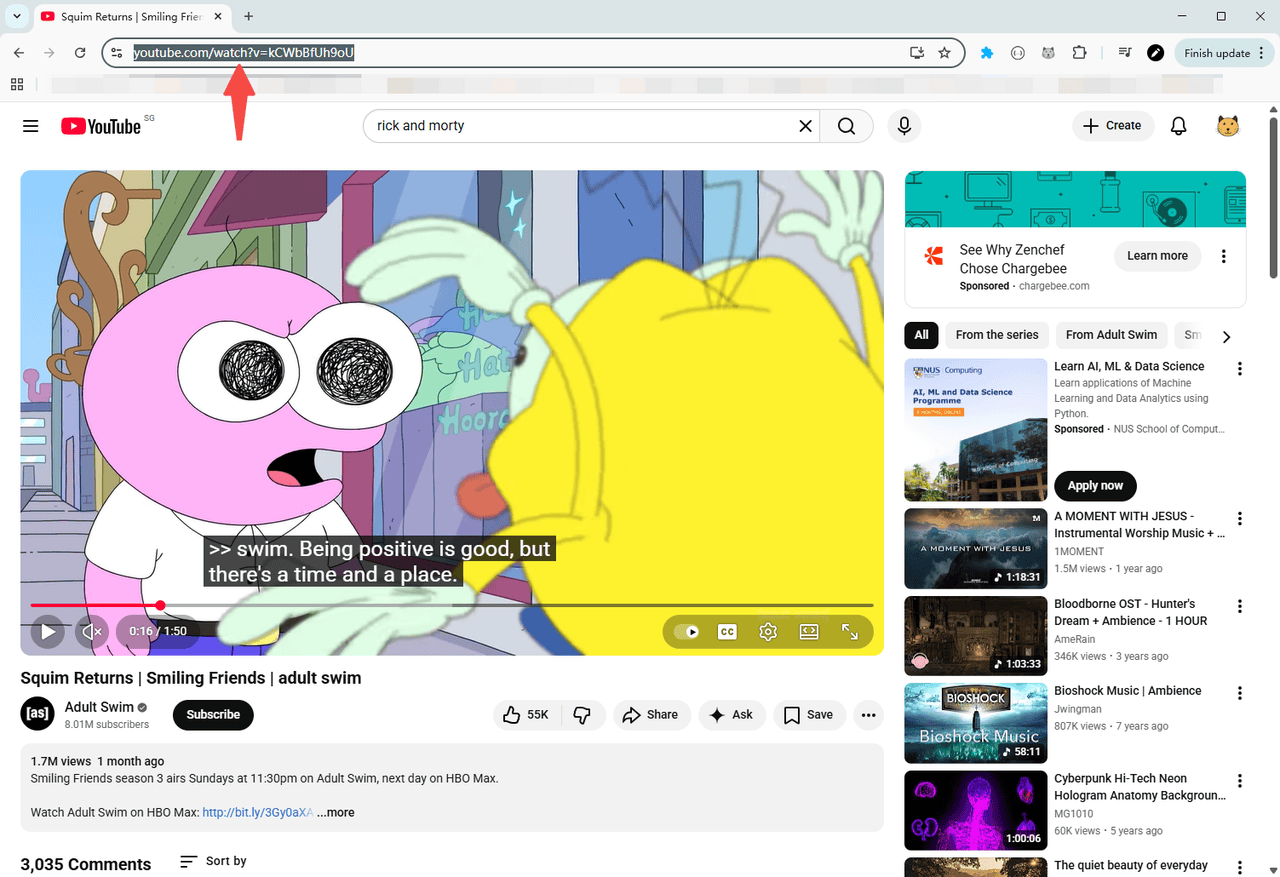
Step 2. Copy the video link
Copy the link to the subtitled YouTube video you want to download.
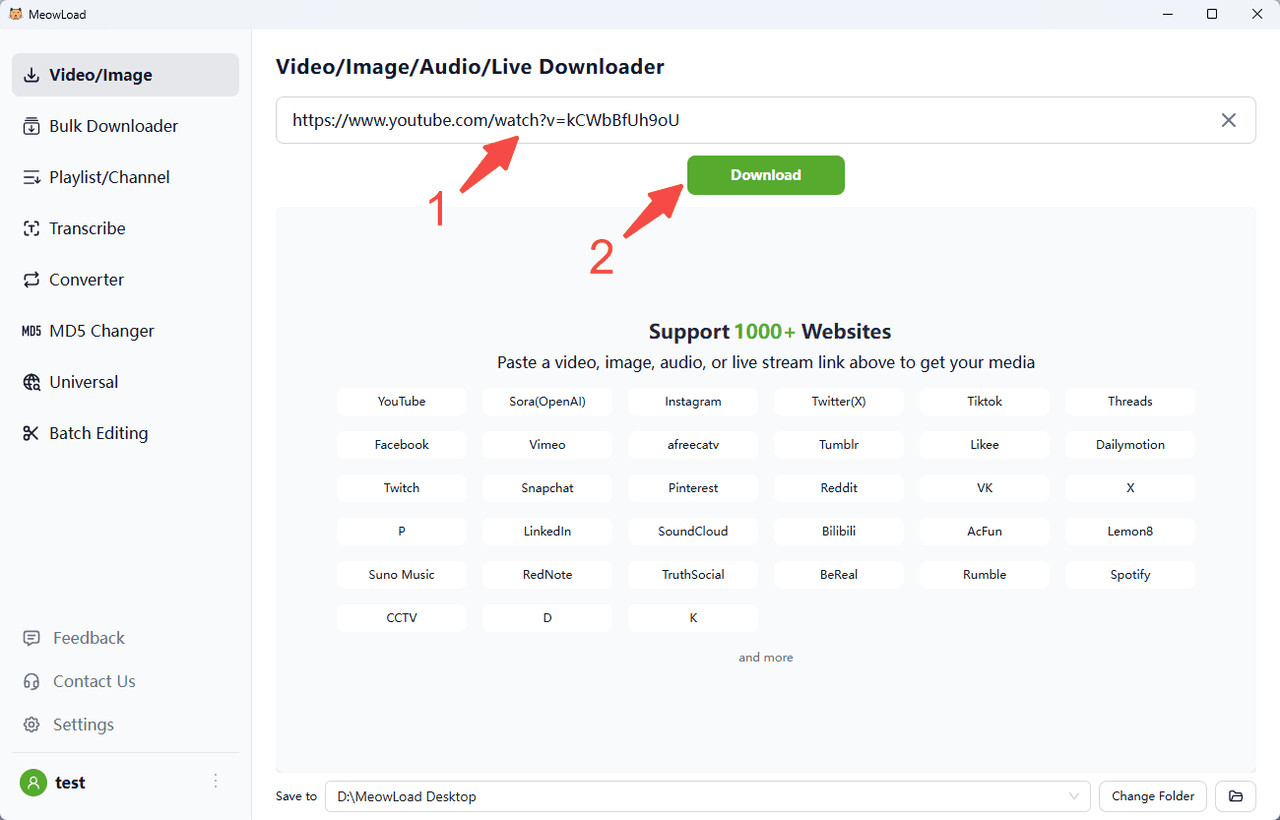
Step 3. Paste and parse
Paste the video link into MeowLoad, then click the Download button.
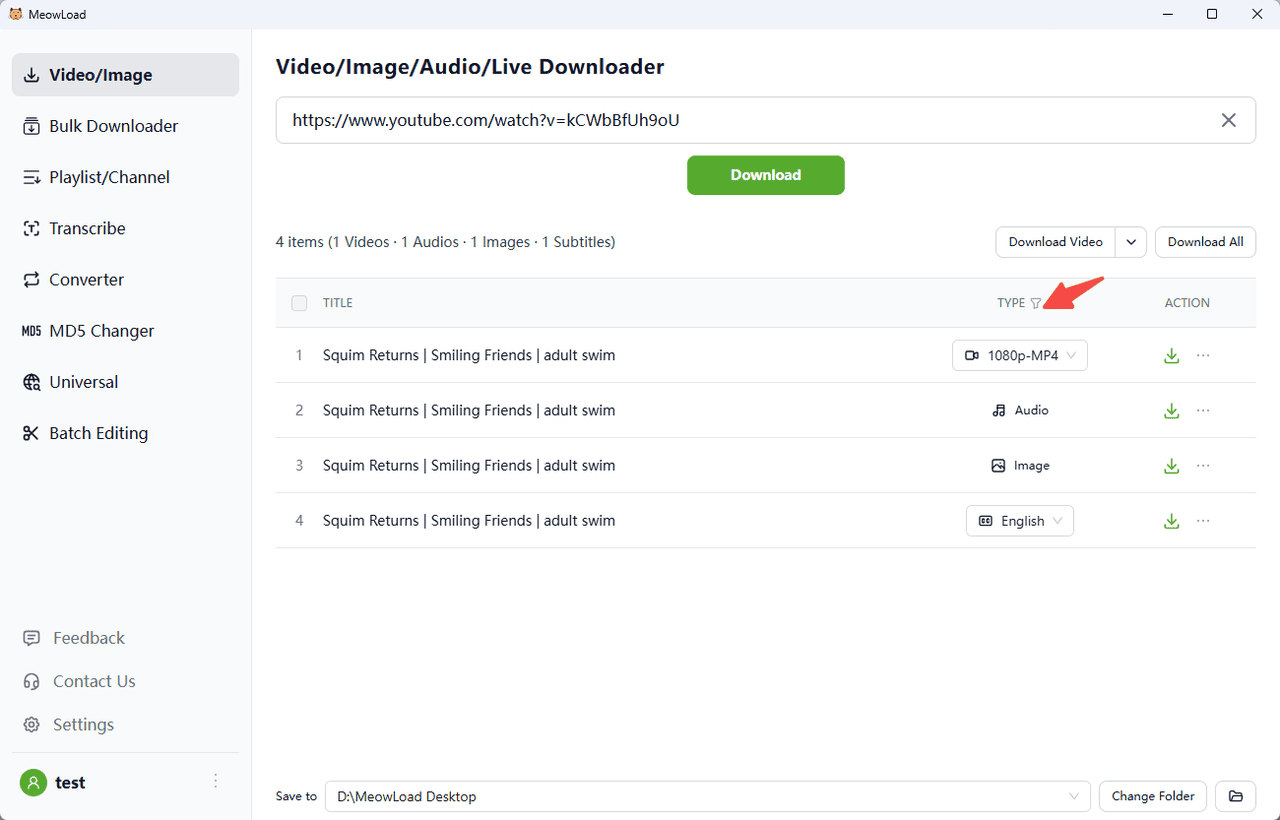
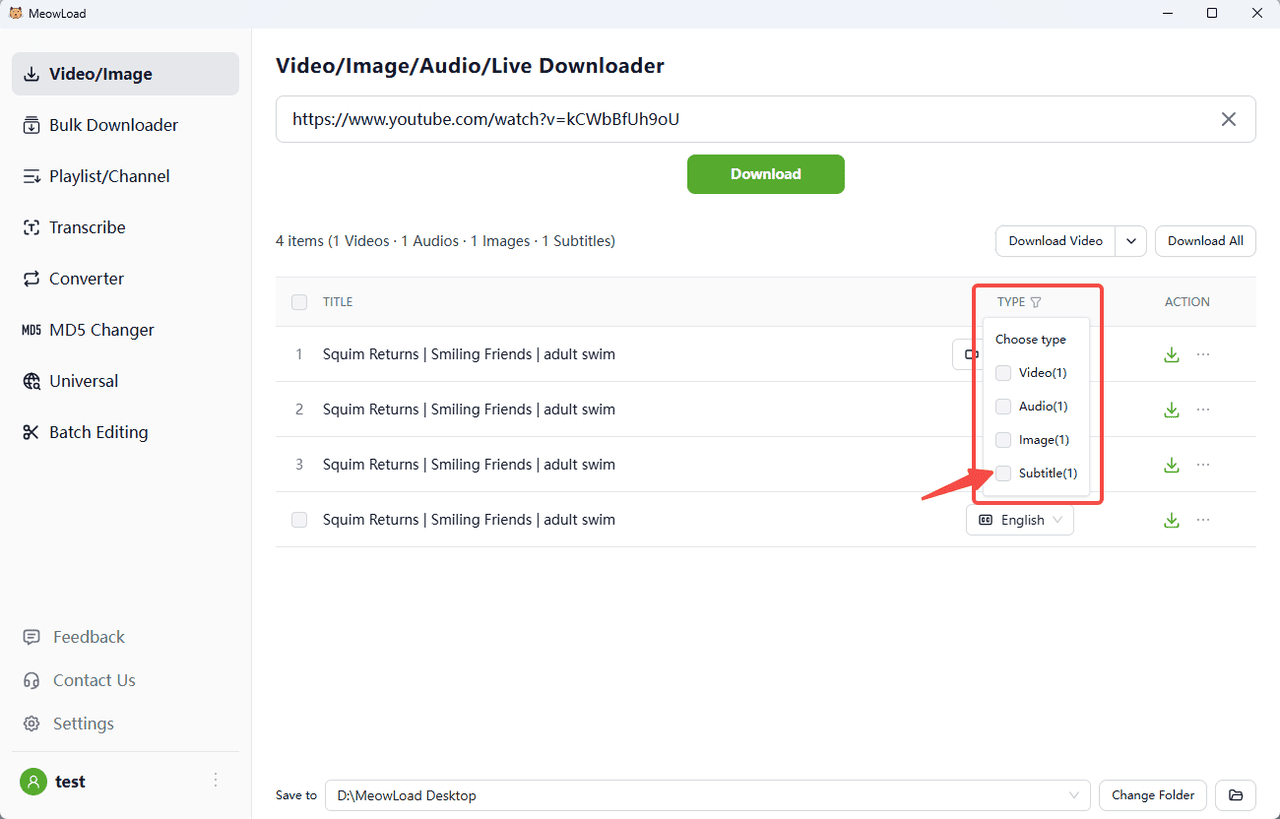
Step 4. Select the subtitles
Click the filter and pick the subtitle type.
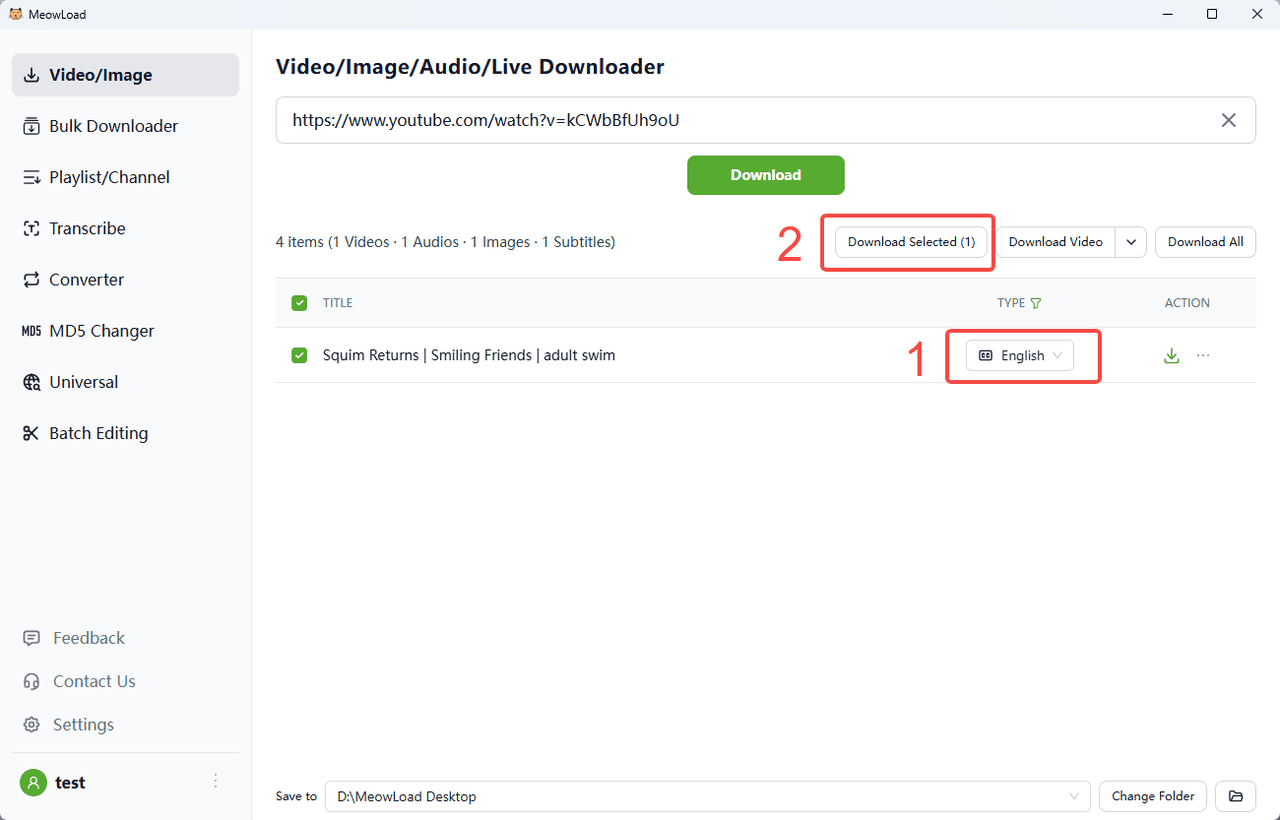
Step 5. Choose a language and download
If the original video has subtitles in multiple languages, you can also choose different languages before downloading. Click Download Selected.
Step 6. Finish !
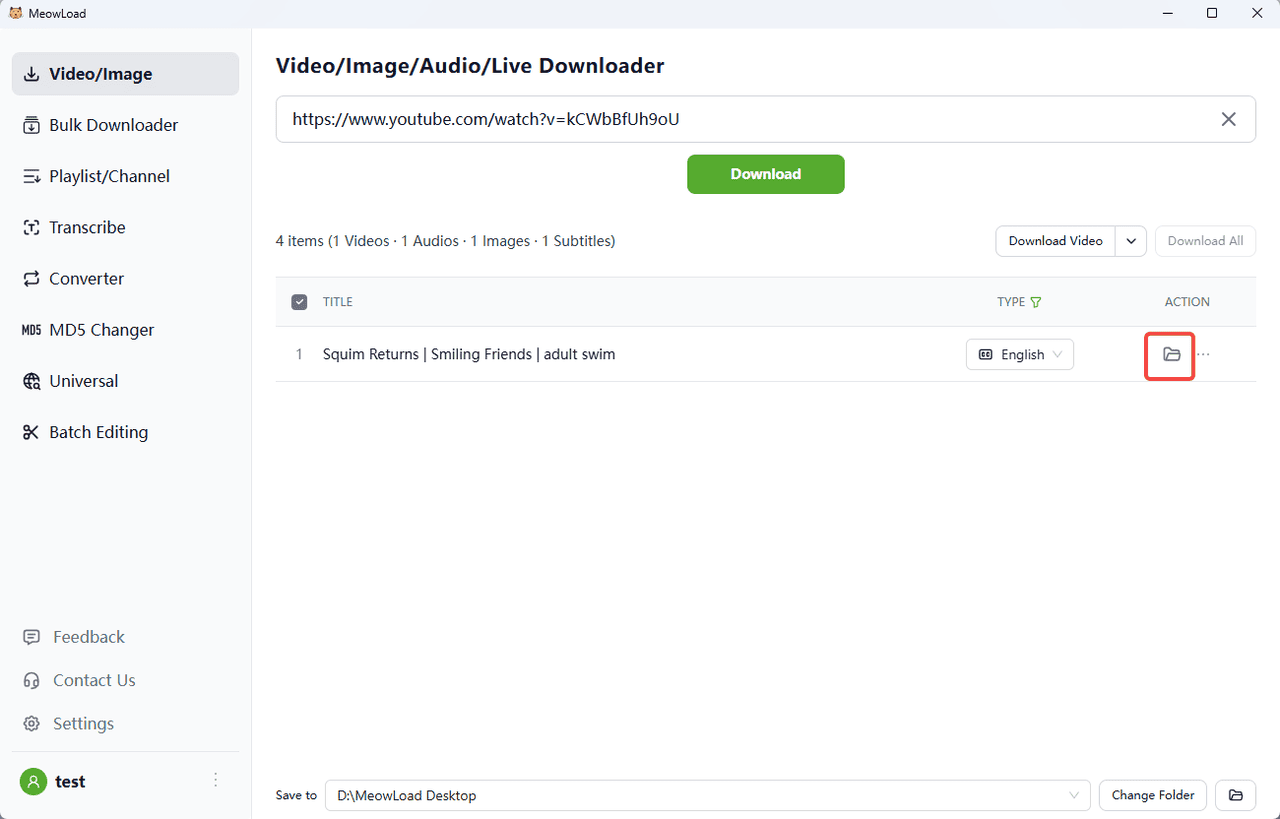
Once the download is complete, click the folder icon to check out your files.