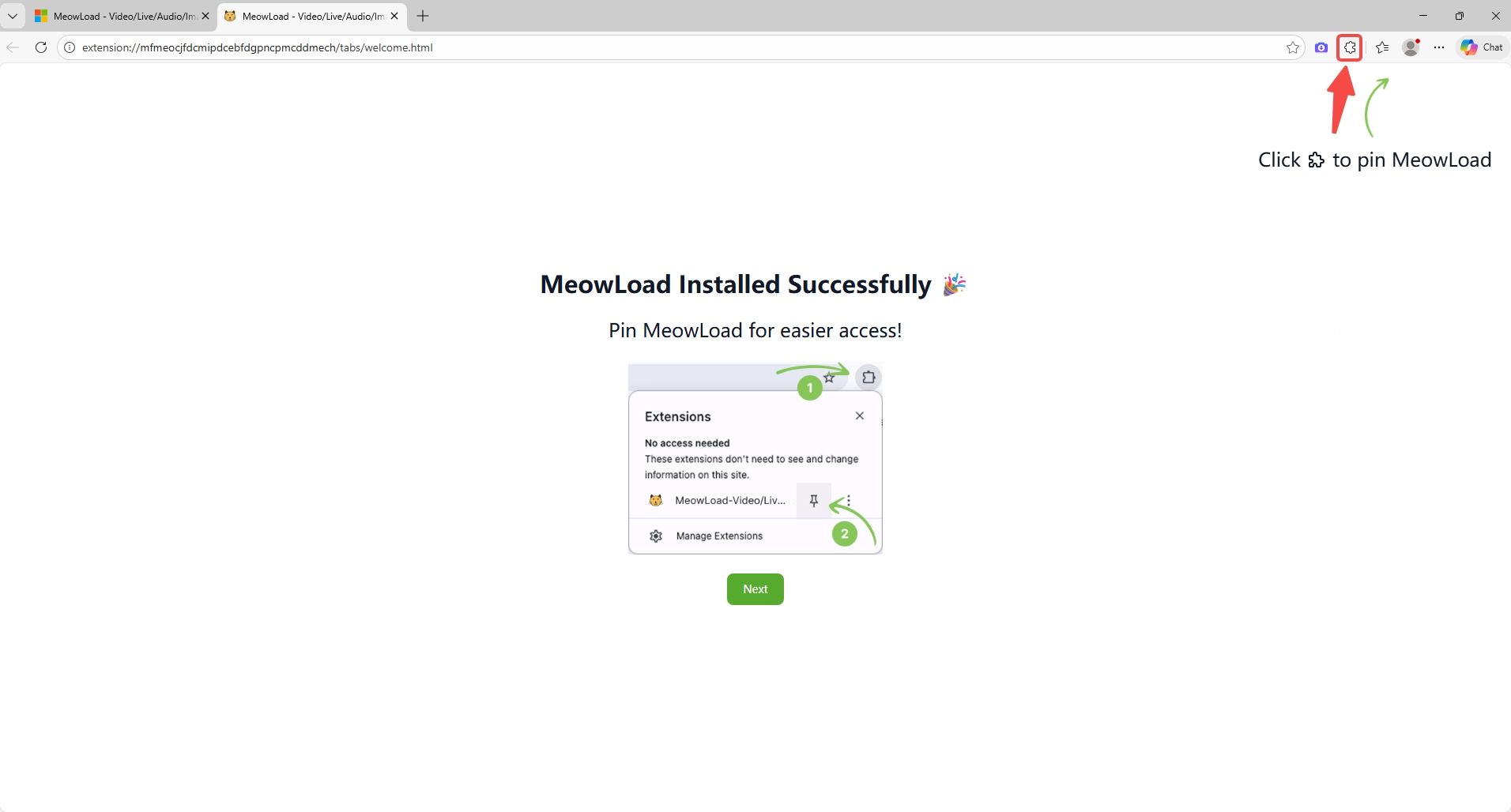
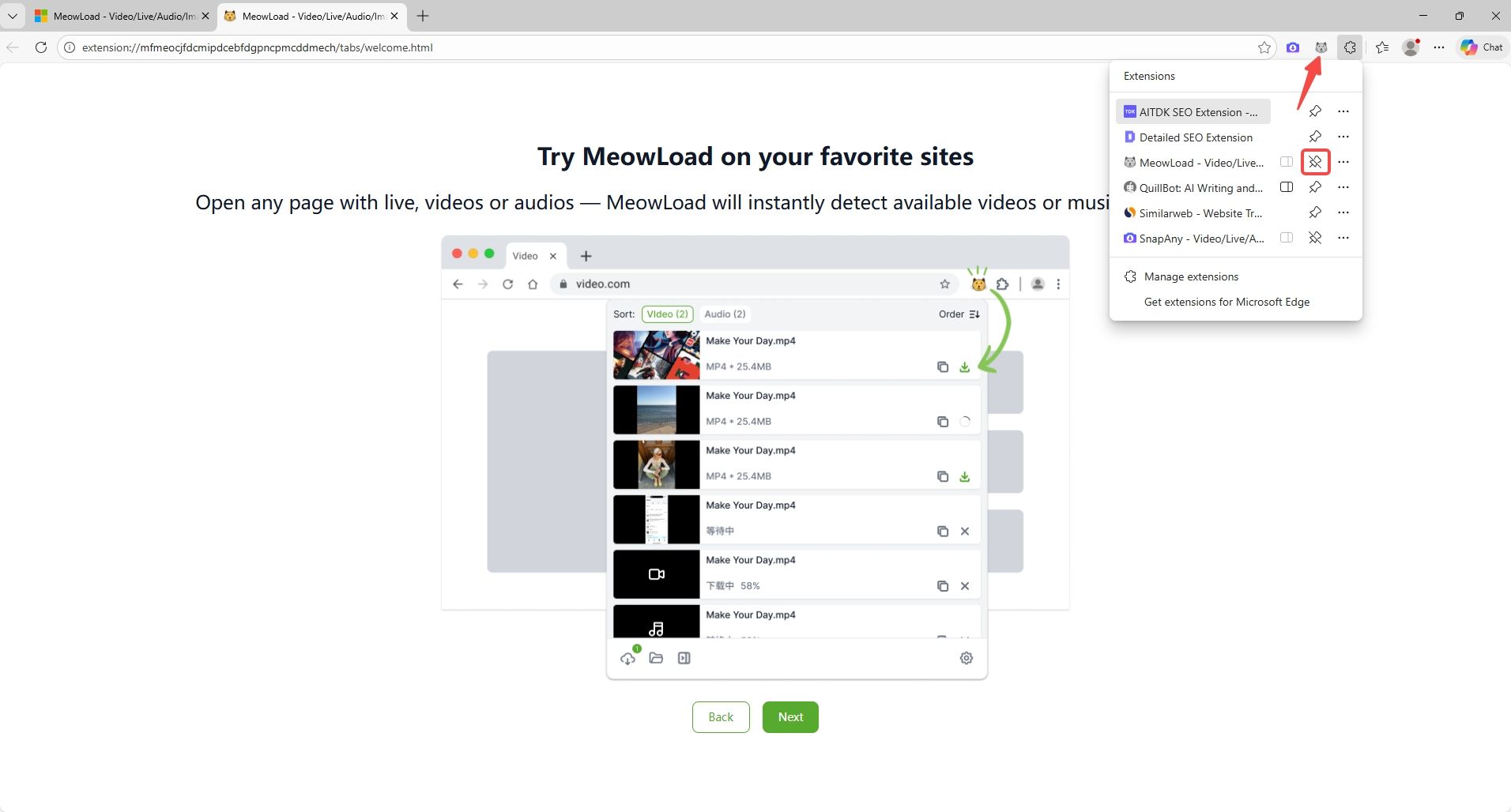
Chrome browser install address : https://chromewebstore.google.com/detail/meowload-videoliveaudioim/gnplpcfnikehohdgnfnfcienljcbaogj
Edge browser install address : https://microsoftedge.microsoft.com/addons/detail/meowload-videoliveaud/mfmeocjfdcmipdcebfdgpncpmcddmech
Chrome Browser
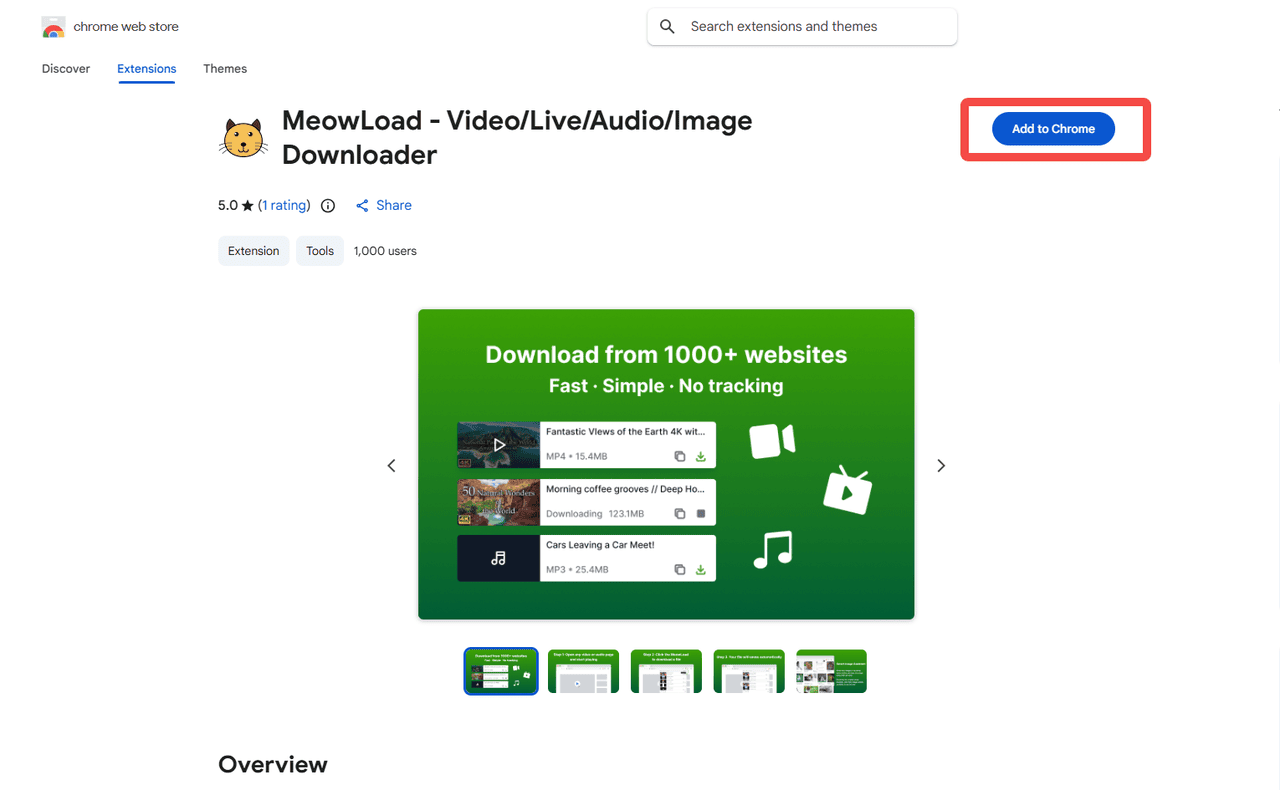
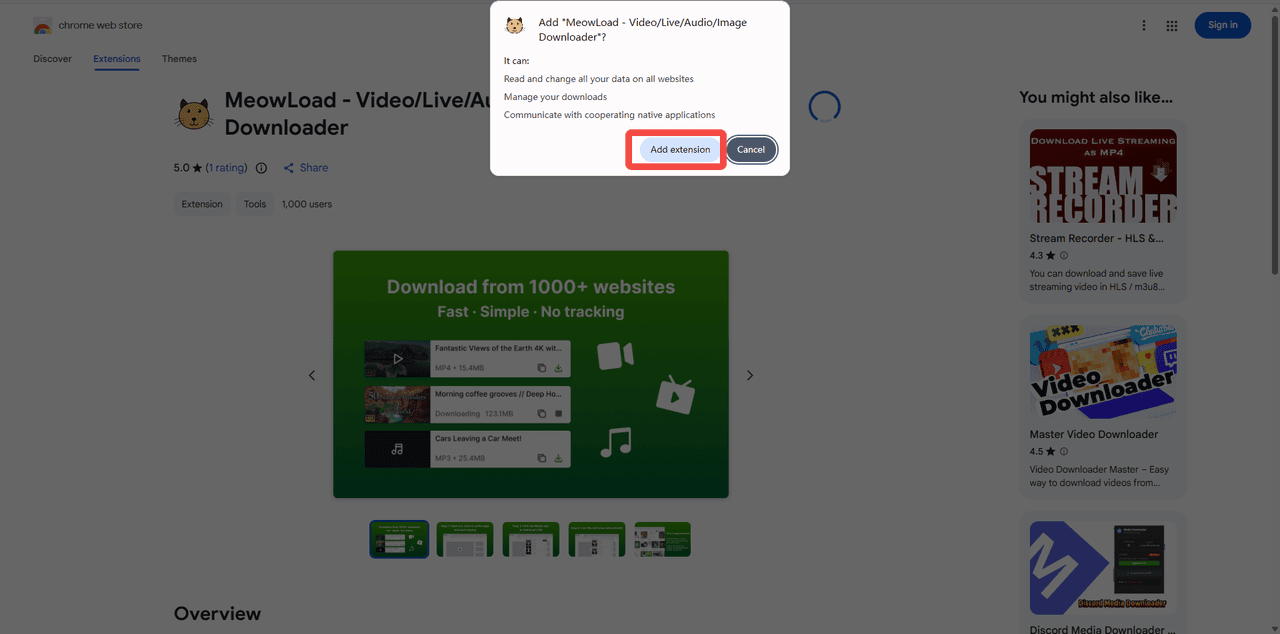
STEP 1 : Add to Chrome - Add extension
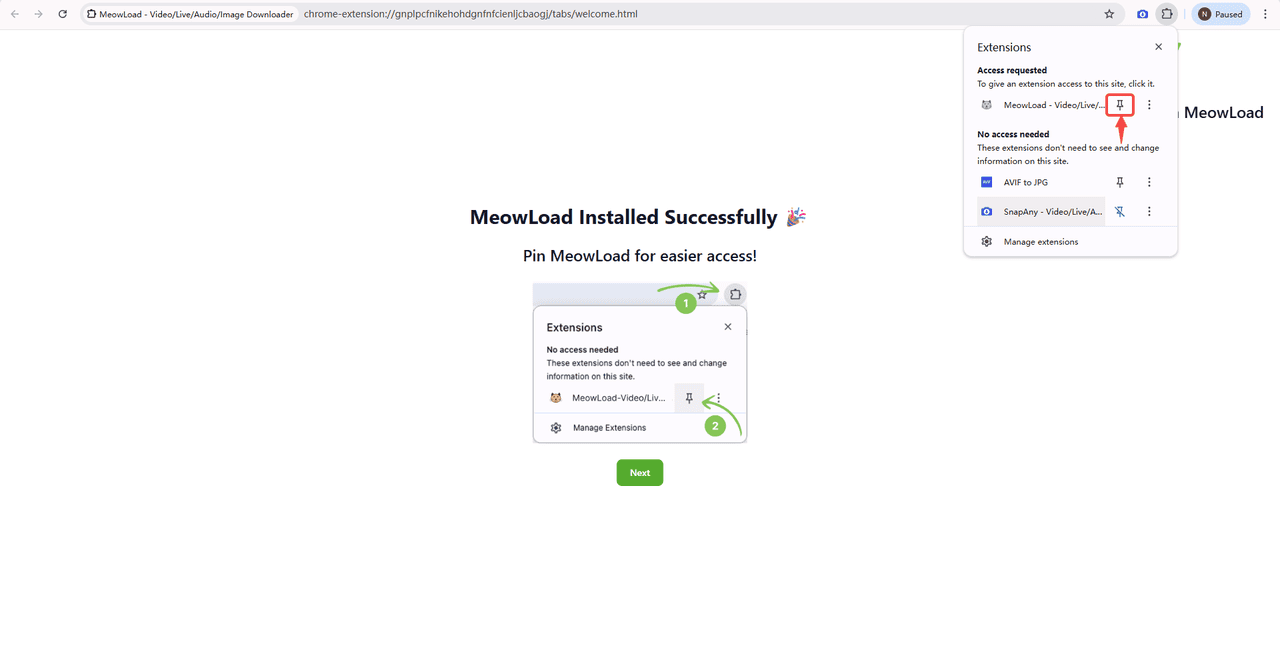
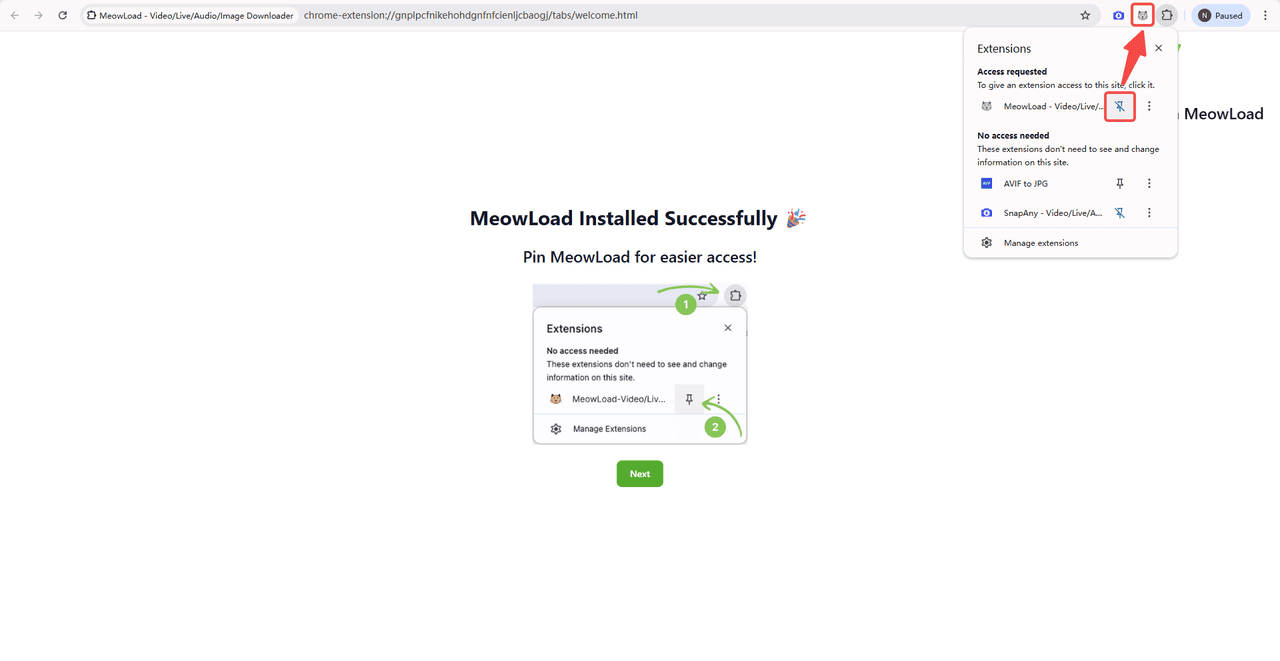
STEP 2 : Pin MeowLoad to the toolbar
Click the Extensions icon and pin MeowLoad, so it stays one click away.
Edge Browser
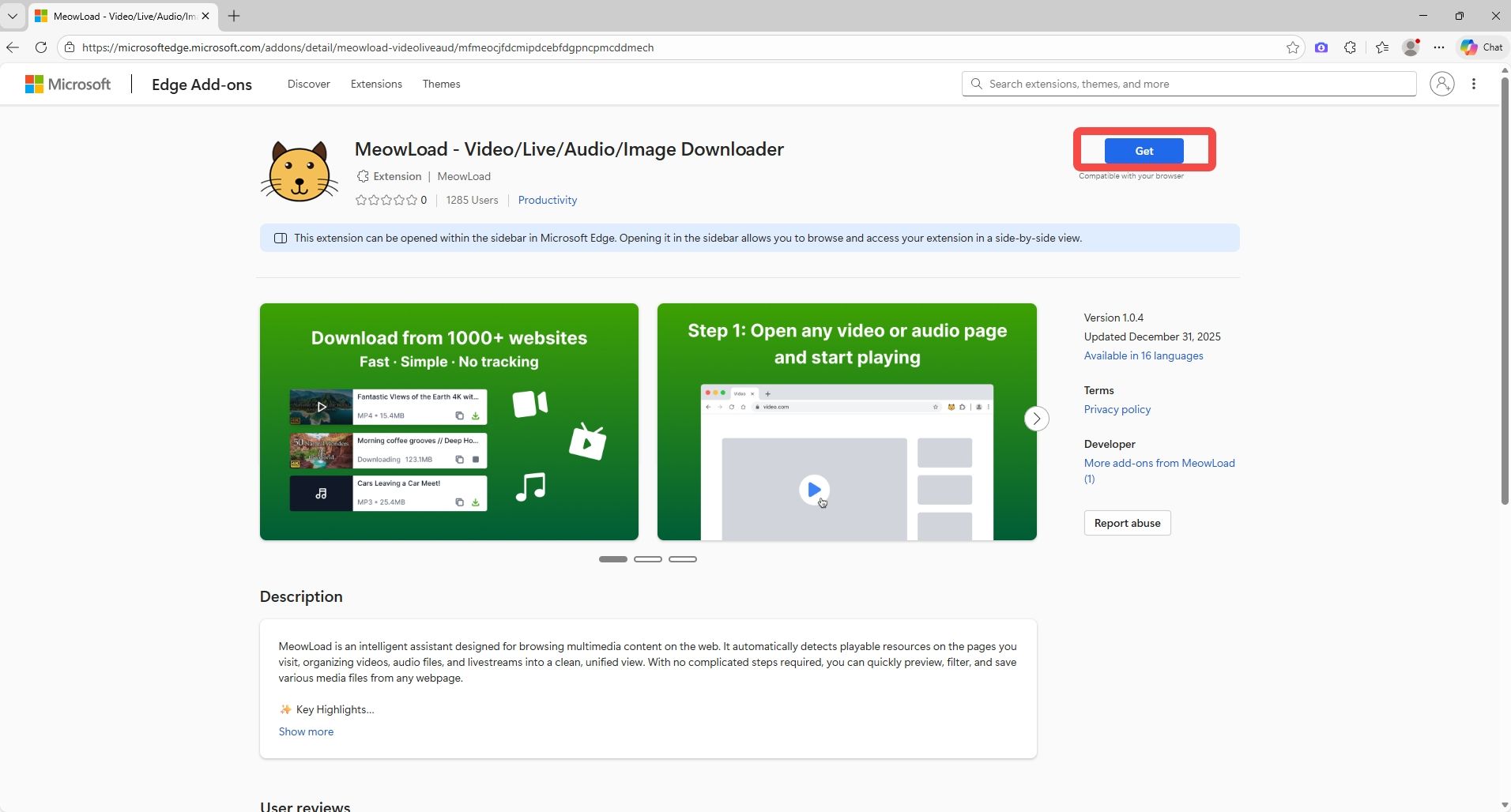
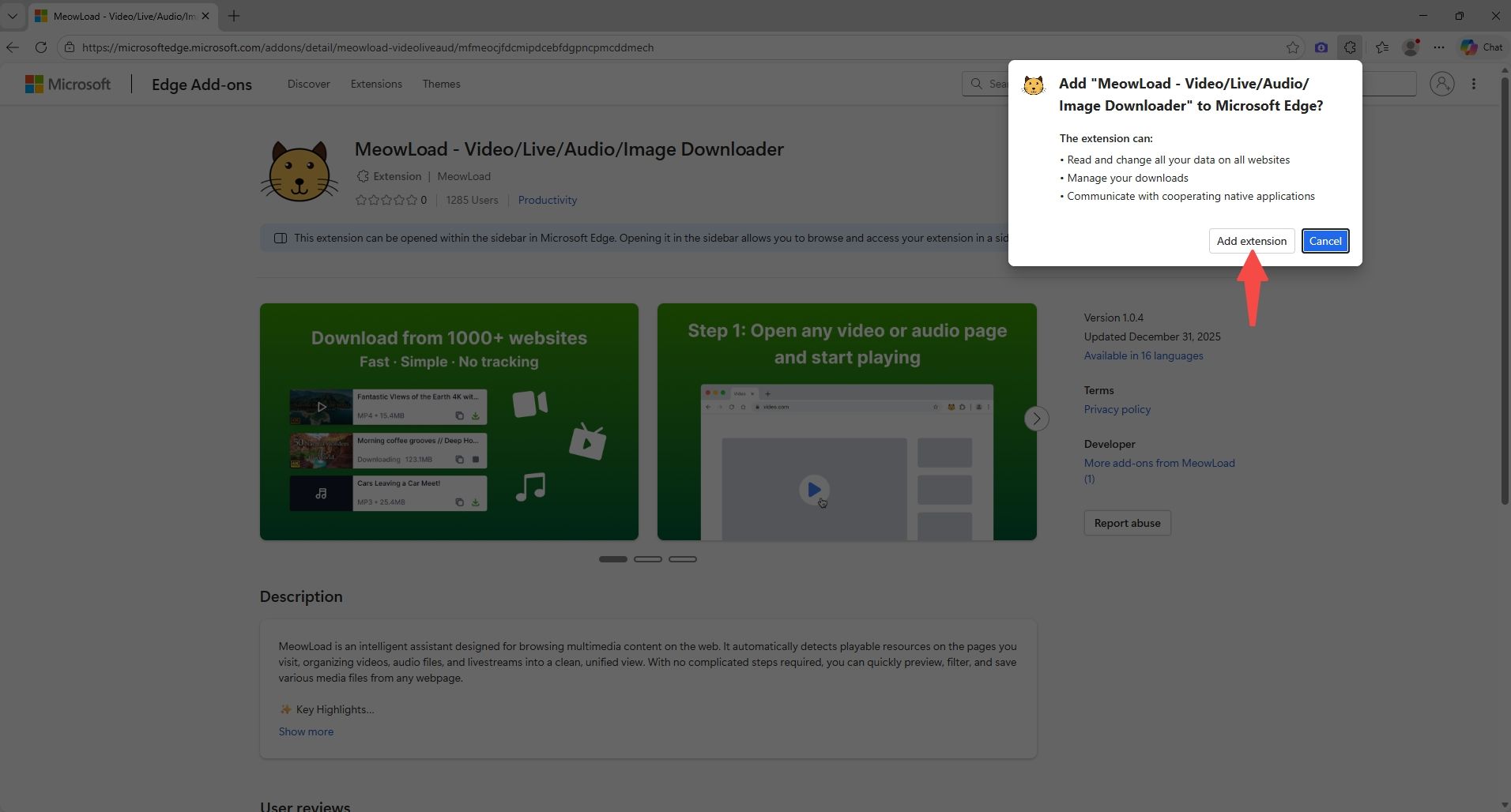
STEP 1 : Get - Add Extension
STEP 2 : Pin MeowLoad to the toolbar
Click the Extensions icon and pin MeowLoad, so it stays one click away.