Instagram Reels is a short video feature that lets users share up to 90 seconds of creative content. While popular worldwide, Instagram doesn’t offer an option to download Reels without a watermark. Screen recordings or screenshots often result in quality loss and watermarks.
This guide shows you how to use our Video/Image Downloader to save high-quality, watermark-free Reels by simply pasting the video link.
Steps
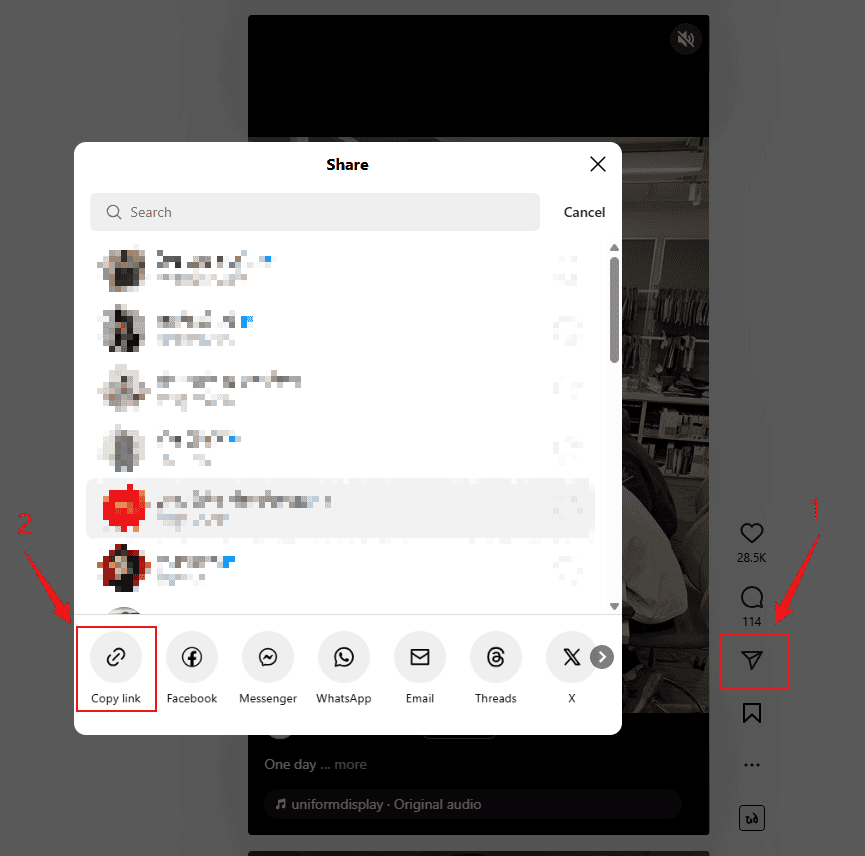
Step 1: Copy the Reels video link
Open Instagram (app or web), go to the target Reels video, tap the menu or share icon, and select “Copy link”.
Step 2: Go to the Video/Image Downloader
Visit our Video/Image Downloader in your browser, and paste the copied link into the input field.
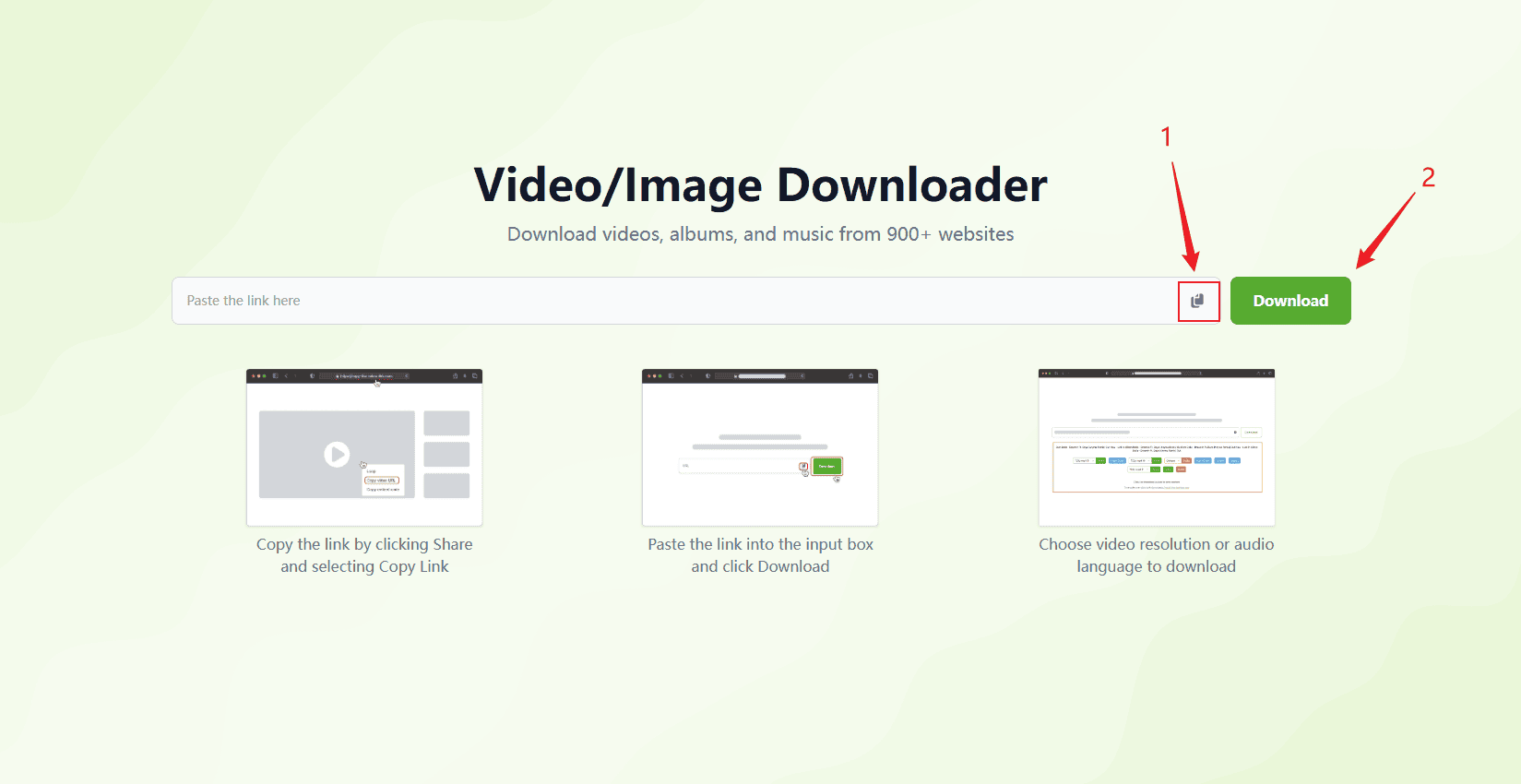
Step 3: Click “Download”
Click the “Download” button. The system will analyze the link and display the video.
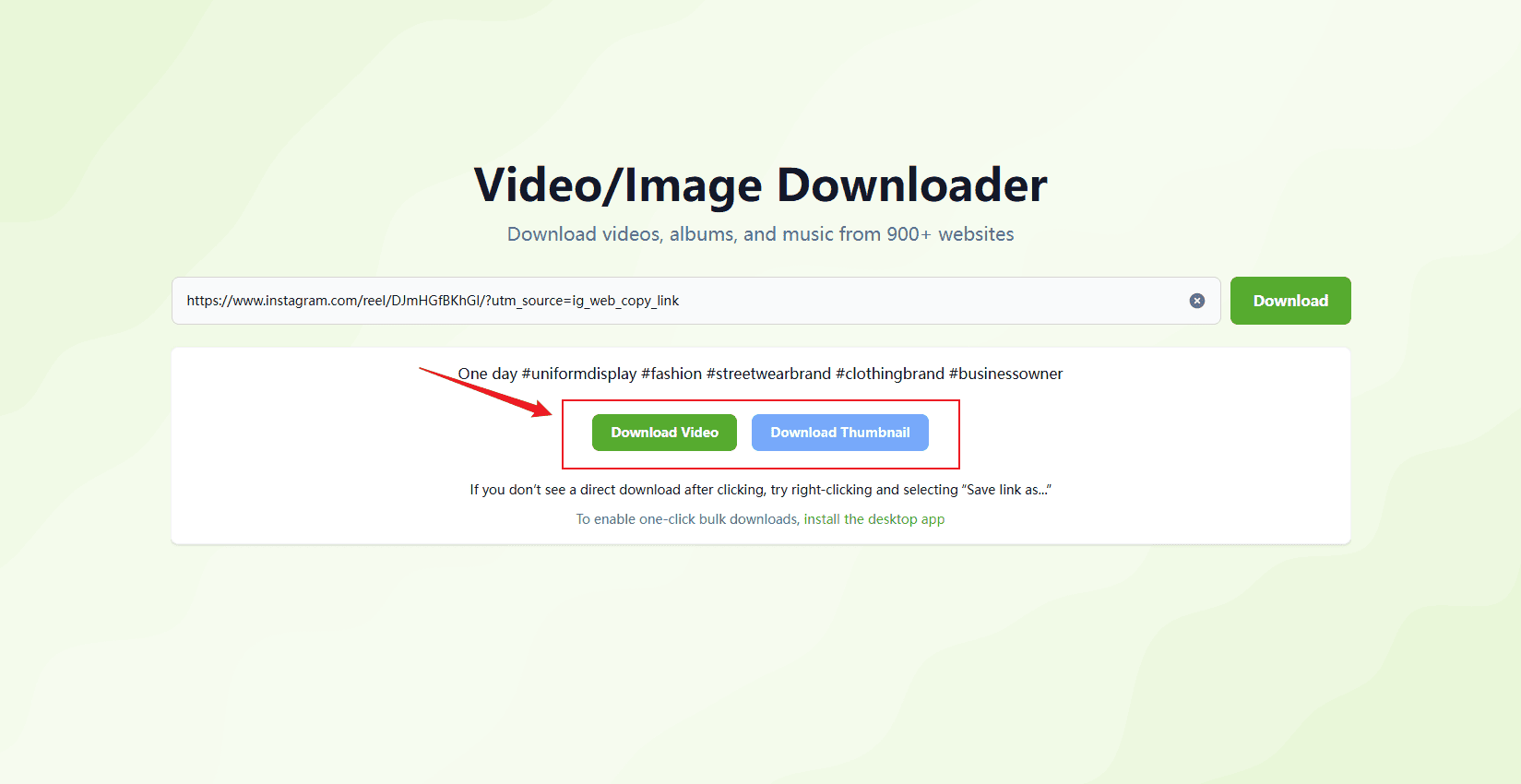
Step 4: Download the watermark-free video
In the result section, click the “Video” button to save the high-quality original file.
FAQs
1. Can I download any Reels from Instagram?
Only public Reels are supported. Private or close-friends-only content cannot be extracted.
2. Will the downloaded video include a watermark?
No. The downloaded file is a clean, high-quality version without any watermark.
3. Can I re-upload the video after downloading it?
Please respect the original creator’s copyright. Use it for personal purposes unless authorized otherwise.